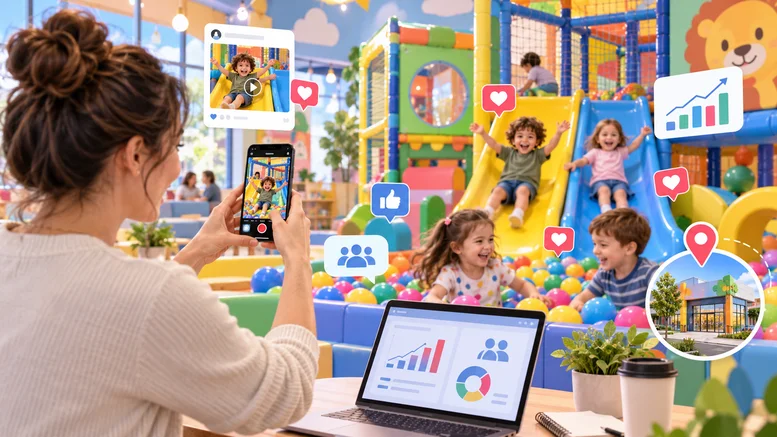
How to Get More Google Reviews for Indoor Playgrounds starts with one simple rule: ask every real guest in a neutral, low-pressure way after the visit, then make the review process easy. For indoor playgrounds, the best review system usually combines post-visit email or SMS, QR codes in the parent lounge, birthday party follow-ups, staff training, and fast replies to every review.
Google reviews matter because parents use them to judge cleanliness, safety, staff attitude, party organization, food quality, and whether the play space feels worth the drive. A steady flow of recent reviews also helps your Google Business Profile look active when families compare “indoor playground near me,” “kids birthday party places,” or “play cafe near me.”
The goal is not to chase a perfect rating. The goal is to build a repeatable review process that produces honest, detailed feedback from local parents.
What Google allows when asking for reviews
Google allows businesses to ask customers for reviews, including through a review link or QR code. Google also says reviews must reflect a genuine experience and that businesses cannot offer incentives for reviews, review changes, or review removals.
For an indoor playground, this means you can ask a parent to review a birthday party, open play visit, membership experience, or camp session. You should not offer a free pass, arcade credit, coffee, discount, or party upgrade in exchange for a review.
Google’s own guidance is clear on a few points:
- You can remind customers to leave a review through a Google link or QR code.
- You should reply to reviews and value honest feedback.
- You should not offer free or discounted goods or services in exchange for reviews.
- You should not pressure guests to write reviews while they are still on the premises.
- You should not ask staff to collect reviews with specific wording or staff names.
- You should not selectively ask only happy customers for public reviews.
Useful references:
- Google Business Profile: Tips to get more reviews
- Google Maps contributed content policy
- Google Business Profile restrictions for policy violations
- FTC guidance on soliciting and paying for online reviews
The safest review strategy for indoor playgrounds
The safest way to get more Google reviews is to ask consistently after real visits, without incentives, pressure, filtering, or scripts that tell parents what to say.
Use this basic system:
- Create your official Google review link.
- Add the link to post-visit email and SMS messages.
- Place QR codes in low-pressure areas, such as the parent lounge and party checkout folder.
- Train staff to ask naturally without hovering over the guest.
- Reply to every review within 24-48 hours.
- Review feedback weekly and fix repeated complaints.
This process works because it removes the awkward moment at the front desk. Parents can write the review after they leave, when they are back in the car, at home, or after the birthday party has settled down.
Review methods: what to use and what to avoid
| Method | Use it? | Why it works or fails |
|---|---|---|
| Post-visit email | Yes | Good for birthday bookings, memberships, camp registrations, and online ticket purchases. |
| Post-visit SMS | Yes, with proper consent | Fast and convenient, but your SMS platform should handle opt-in, opt-out, and carrier requirements. |
| QR code in parent lounge | Yes | Passive and low-pressure. Parents choose whether to scan. |
| QR code on receipts | Yes | Simple for walk-in visits and cafe purchases. |
| QR code in party thank-you cards | Yes | Useful when parents are still excited about the event. |
| Tablet or kiosk at the front desk | Avoid | It can feel pressured and may create review quality problems. |
| Free entry for a review | No | Incentivized reviews violate Google policy. |
| Asking only happy customers | No | Selective review requests can be treated as review gating. |
| Asking for a “5-star review” | No | Ask for honest feedback, not a specific rating. |
| Staff contests based on review count | Avoid | It can push employees into pressure tactics and unnatural requests. |
How to create a Google review link and QR code
Create your Google review link from your Google Business Profile, then use that same link everywhere. Do not send parents to your homepage and expect them to find the review button.
Use the review link in:
- booking confirmation follow-ups,
- post-party thank-you emails,
- waiver completion follow-ups,
- membership renewal emails,
- birthday party folders,
- cafe table tents,
- receipt footers,
- parent lounge signage,
- customer service email signatures.
For QR codes, keep the design clean. A small sign that says “Share your visit on Google” is enough. Avoid language like “Give us 5 stars” or “Show this review for a free coffee.”
Good QR code placement for an indoor playground:
- parent lounge tables,
- cafe pickup counter,
- party room exit,
- front desk acrylic sign,
- birthday party host clipboard,
- printed party thank-you card,
- receipt or invoice footer.
Do not make staff stand beside the guest while the parent scans the code. The parent should feel free to ignore the request.
When should you ask parents for a Google review?
The best time to ask for a Google review is soon after a positive, completed experience. For indoor playgrounds, the timing depends on the visit type.
| Guest type | Best timing | Suggested channel |
|---|---|---|
| Open play visitor | 1-3 hours after the visit | Email or SMS |
| Birthday party host | Later the same day or next morning | Email first, SMS only if opted in |
| Monthly member | After the third visit or membership renewal | |
| Camp parent | End of the first week or final day | |
| Private event organizer | Next business day | |
| Guest who reported a problem | After the issue is resolved | Personal follow-up, then neutral review request later |
Birthday parties deserve a separate workflow because the host is busy during the event. Ask too early and the parent is packing gifts, managing kids, and trying to leave on time. Ask later, after the party host has had a chance to breathe.
For example:
- Saturday 2:00 p.m. party ends at 4:00 p.m.
- Staff closes the party tab and marks the booking complete.
- System sends a thank-you email at 7:00 p.m.
- If the parent does not review, system sends one gentle reminder three days later.
One reminder is enough. Repeated review requests feel desperate and can hurt the relationship.
Review request templates for indoor playgrounds
Use short, neutral messages. Do not tell parents what rating to leave. Do not ask them to mention a staff member, cleanliness, or birthday host by name.
Post-visit email template
Subject: Thanks for visiting [Playground Name]
Hi [First Name],
Thanks for visiting [Playground Name]. If your family had a good experience, would you share a quick Google review? Reviews help local parents decide where to play, book parties, and spend a rainy afternoon.
[Leave a Google review]
Thank you, [Your Name] [Playground Name]
Birthday party follow-up template
Subject: How did [Child Name]‘s party go?
Hi [First Name],
Thank you for celebrating with us at [Playground Name]. If the party went well, we would appreciate a quick Google review from your perspective as the host.
[Leave a Google review]
If anything did not meet your expectations, you can reply to this email and our manager will take a look.
Thank you, [Your Name]
SMS template
Thanks for visiting [Playground Name]. If you have a minute, you can share your experience on Google here: [review link]
Use SMS only when your booking, waiver, or POS process has the right consent and opt-out controls for your market and provider.
Parent lounge QR code text
Enjoyed your visit?
Share your experience on Google and help other local parents find us.
[QR code]
Staff verbal script
“Thanks for coming in today. We’ll send a quick follow-up with our Google review link. Honest feedback helps our team and helps other parents know what to expect.”
This script is better than asking a parent to review on the spot. It gives the guest space and keeps the request neutral.
How birthday parties can generate more reviews
Birthday parties are one of the strongest review opportunities for indoor playgrounds because they create a clear before-and-after experience. (As shown in our 8,198-review study of Greater L.A. venues, parents praise party hosts and staff helpfulness over 5x more often than attractions). Parents remember whether the room was ready, the host was organized, food arrived on time, kids stayed engaged, and checkout was simple.
Build the review request into the party workflow:
- Confirm the booking by email.
- Send a pre-party checklist with arrival time, guest count rules, socks, waivers, food policy, and party schedule.
- Collect guest waivers before arrival when possible.
- Assign one party host who owns the room setup, timeline, and parent communication.
- Ask the host privately at checkout whether everything went as expected.
- Send the review request after the party, not while the room is being cleaned.
The best reviews often mention specific operational details:
- “The room was ready when we arrived.”
- “The party host kept everything on schedule.”
- “The play area was clean.”
- “The cafe was easy for parents.”
- “The kids had enough time to play.”
Do not feed these phrases to reviewers. Earn them through the party experience.
Build review-worthy moments into the visit
Parents leave detailed reviews when something specific stands out. A generic visit usually produces a generic review.
Review-worthy details for indoor playgrounds include:
- a visible cleaning routine during busy sessions,
- staff who greet children by name at check-in,
- party rooms set up before the host arrives,
- clear signage for socks, waivers, exits, restrooms, and age zones,
- a parent lounge with comfortable seating and full sightlines,
- quick response when a child gets hurt or upset,
- allergy-aware food handling,
- clean bathrooms with stocked supplies,
- easy checkout after a party,
- a calm process when the facility is busy.
Pick two or three moments and make them operational standards. For example, the party host can greet the birthday child by name, confirm the schedule with the parent, and check in 20 minutes before food service. Those details often show up in reviews because they reduce stress for the parent.
Train staff without creating review pressure
Staff can support the review process, but they should not be judged only by how many reviews they collect. Review quotas can lead to awkward requests, rushed language, and pressure at the front desk.
Train employees to:
- give guests the review link only after a real visit,
- ask for honest feedback instead of a specific rating,
- avoid asking parents to mention staff names,
- avoid asking for reviews during complaints,
- avoid hovering while a guest scans a QR code,
- send unhappy guests to a manager for help,
- document service issues in the POS, CRM, or shift notes.
Better staff goals include:
- party room readiness,
- check-in wait time,
- bathroom inspection completion,
- food order accuracy,
- parent complaint response time,
- waiver completion rate before parties,
- internal satisfaction survey score.
These goals improve the experience that leads to reviews.
Respond to every review like future parents are reading
Your reply is not only for the reviewer. It is also for the next parent comparing options on Google Maps.
A good positive review reply should be short, specific, and human:
Thank you, Amanda. We’re glad the birthday party felt organized and that the kids had enough play time. We appreciate you celebrating with us.
A weak reply sounds copied:
Thanks for your review! We appreciate your business!
For negative reviews, reply calmly and move the details into a private channel:
Thank you for sharing this. Cleanliness is a priority for our team, and we are sorry the restroom did not meet expectations during your visit. Please contact our manager at [email] so we can review the time of your visit and address it with the team.
Do not argue about the parent, the child, or the situation in public. Do not share private details. Do not offer a refund in exchange for editing or removing the review.
Google says businesses can report reviews that violate policy, but disagreement alone is not enough. If a review is fake, abusive, off-topic, or includes private information, use Google’s review reporting process.
Reference: Google Business Profile: Report inappropriate reviews
How to handle negative reviews without making them worse
Negative reviews can help you find operational problems before they become expensive. The key is to separate emotional replies from fixable patterns.
Use this process:
- Screenshot and log the review.
- Check the visit date, booking record, waiver, POS ticket, or party notes.
- Reply publicly within 24-48 hours.
- Invite the parent to email or call the manager.
- Fix the issue privately when the complaint is valid.
- Record the root cause in your weekly operations notes.
- Do not ask the parent to remove the review as a condition of any resolution.
Common indoor playground complaint patterns:
| Complaint | What to check |
|---|---|
| ”It was dirty” | Bathroom inspection logs, cafe tables, sock policy, cleaning schedule during peak sessions. |
| ”Too crowded” | Capacity settings, party overlap, walk-in limits, session timing. |
| ”Staff was rude” | Check-in recordings if available, shift notes, staffing level, training gaps. |
| ”Party felt rushed” | Party package duration, room turnover time, host checklist, food timing. |
| ”Food took too long” | Kitchen ticket times, party food prep, cafe staffing, menu complexity. |
| ”Unsafe behavior” | Zone supervision, age separation, incident reports, signage. |
One bad review is not a crisis. Three reviews mentioning the same problem are an operations signal.
Use internal surveys without review gating
Internal surveys are useful, but they should not become a filter that sends only happy parents to Google.
Avoid this flow:
- Ask “How was your visit?”
- Send 5-star guests to Google.
- Send unhappy guests to a private complaint form.
That kind of selective routing can create review gating risk.
Use this flow instead:
- Send the same review request to all eligible guests.
- Include a separate support line for problems.
- Let every guest choose whether to review publicly.
- Use internal surveys for operations, not for filtering who gets the Google link.
Example:
“If you would like to share your visit publicly, here is our Google review link. If something went wrong, you can also reply to this email and our manager will review it.”
This gives parents a clear path for both public feedback and private help.
How many Google reviews should an indoor playground aim for?
An indoor playground should aim for a steady flow of recent reviews rather than a one-time review spike. A location with fresh, detailed reviews from the last few weeks usually looks more trustworthy than a location that collected many reviews during opening month and then went quiet.
Use a practical target:
- New location: ask every eligible guest and focus on consistency for the first 90 days.
- Established location: aim for new reviews every week.
- Birthday-heavy venue: build the request into every completed party.
- Multi-location brand: track reviews by location, not only company-wide.
Do not run a “review drive” with prizes. A sudden spike in reviews can look unnatural, especially if the language is repetitive.
A weekly review routine for managers
Set a 30-minute review routine every Monday.
Check:
- total new reviews,
- average rating trend,
- unanswered reviews,
- repeated complaints,
- staff or shift patterns,
- party-specific feedback,
- cleanliness mentions,
- safety mentions,
- birthday package mentions,
- competitor comparisons.
Then choose one operational fix for the week.
Examples:
- Add a restroom inspection every 30 minutes during weekend parties.
- Move one staff member from cafe support to check-in during Saturday rush.
- Add a pre-party text reminding guests to complete waivers.
- Reduce party room turnover friction with a printed reset checklist.
- Update signage for toddler zone rules.
Reviews should feed operations. If the team only watches the star rating, the business misses the useful part.
Suggested internal links
- [Birthday party packages] - link this when discussing party hosts, room setup, and booking follow-ups.
- [Indoor playground memberships] - link this when discussing member review requests.
- [Online waiver system] - link this when discussing pre-arrival waiver completion.
- [Book open play] - link this when discussing first-time visitors.
- [Private events] - link this when discussing group bookings and weekday events.
FAQ
Can indoor playgrounds ask customers for Google reviews?
Yes, indoor playgrounds can ask real customers for Google reviews as long as the request is neutral and does not include incentives, pressure, selective filtering, or required wording.
Can we offer a free pass for a Google review?
No. Google does not allow payment, discounts, free goods, or free services in exchange for posting, changing, or removing a review.
Should staff ask parents to leave a review at checkout?
Staff can mention that a follow-up review link will be sent, but asking parents to write a review while they are still at the front desk can feel pressured. A post-visit message is usually cleaner.
Can we ask parents to mention a party host by name?
No. Google policy says merchants should not request specific content in reviews, including content that identifies a staff member.
What should we do if a review is fake?
Report the review through Google if it violates policy. Keep the report focused on the policy issue, such as fake experience, spam, harassment, private information, or conflict of interest.
How many reminders should we send?
One reminder is usually enough. Send the first request after the visit and, if needed, one follow-up a few days later. More reminders can annoy parents.
Should we reply to positive reviews?
Yes. Replying to positive reviews shows that the business is active and appreciative. Keep replies short, specific, and conversational.
Should we reply to negative reviews?
Yes. Reply to negative reviews professionally, acknowledge the concern, avoid private details, and invite the parent to contact a manager. Use the complaint to check the underlying operation.
Final checklist
Before launching your review system, confirm that:
- your Google Business Profile is verified and accurate,
- your review link works on mobile,
- QR codes point directly to the review page,
- staff scripts ask for honest feedback,
- no incentive is tied to leaving a review,
- review requests go to all eligible guests,
- SMS messages are sent only through a compliant system,
- birthday party follow-ups are automated,
- managers reply to reviews within 24-48 hours,
- repeated complaints are reviewed in weekly operations meetings.
Want more Google reviews from real local parents? Start with your birthday party workflow. Send every party host a short thank-you message, include your Google review link, and make sure the party experience is organized enough that parents have something specific to praise.